


TEXTURES NOT LOADING PoE 2 0.4
|
Having the same problem.
|

|
|
Same problem. Switching graphics settings doesn't help. Seems like GGG doesn't test on minimal configuration. As a Software QA I'm sad to see this absence of quality. Hope this lesson will be learned by GGG.
|

|
|
Intel i5-7400 3Ghz
RAM 8GB NVIDIA GeForce GTX 1050 Ti 4GB WIN 10Pro 64 HD SSD 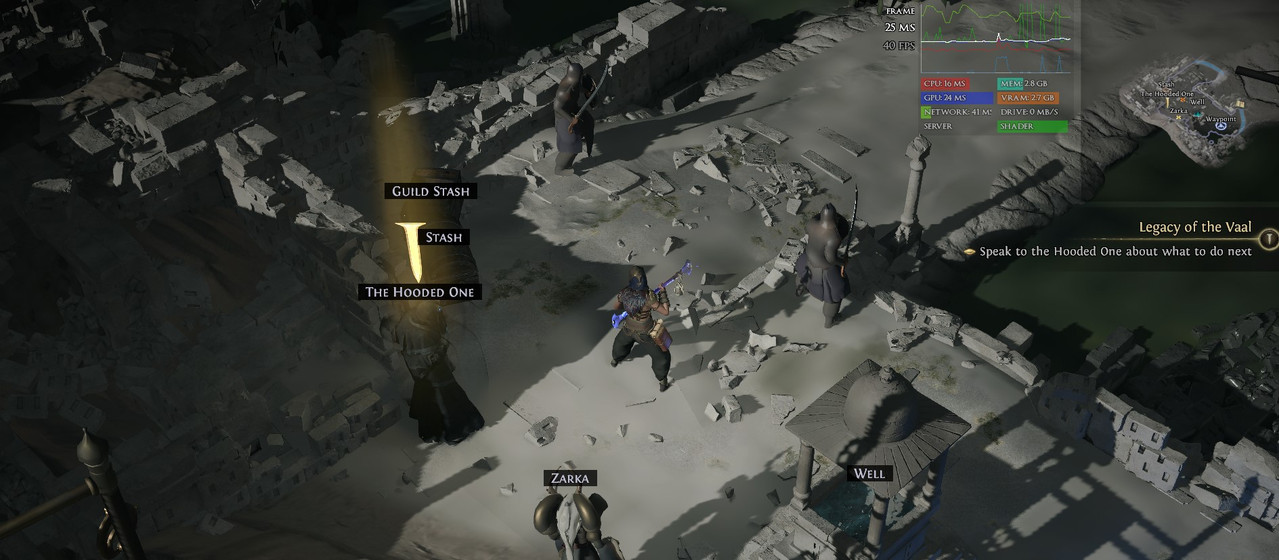 Последняя редакция: jurant#1350. Время: 14 дек. 2025 г., 16:46:21
|

|
|
same
IdeaPad Gaming 3 Nvidia RTX 2050  Nothing is true, everything is permitted.
|

|
|
I had my Vsync in game setting "locked". When I set it to adaptive the textures became normal again.....
**edit** nvm 1 minute later it waas back again :( Последняя редакция: EnderT1979#1088. Время: 14 дек. 2025 г., 13:37:45
|

|
|
really feels like the whole team gets a vacation on league start. Free play weekend and they aren't on this? Disappointing I keep giving POE 2 a chance but its getting harder each time.
|
|
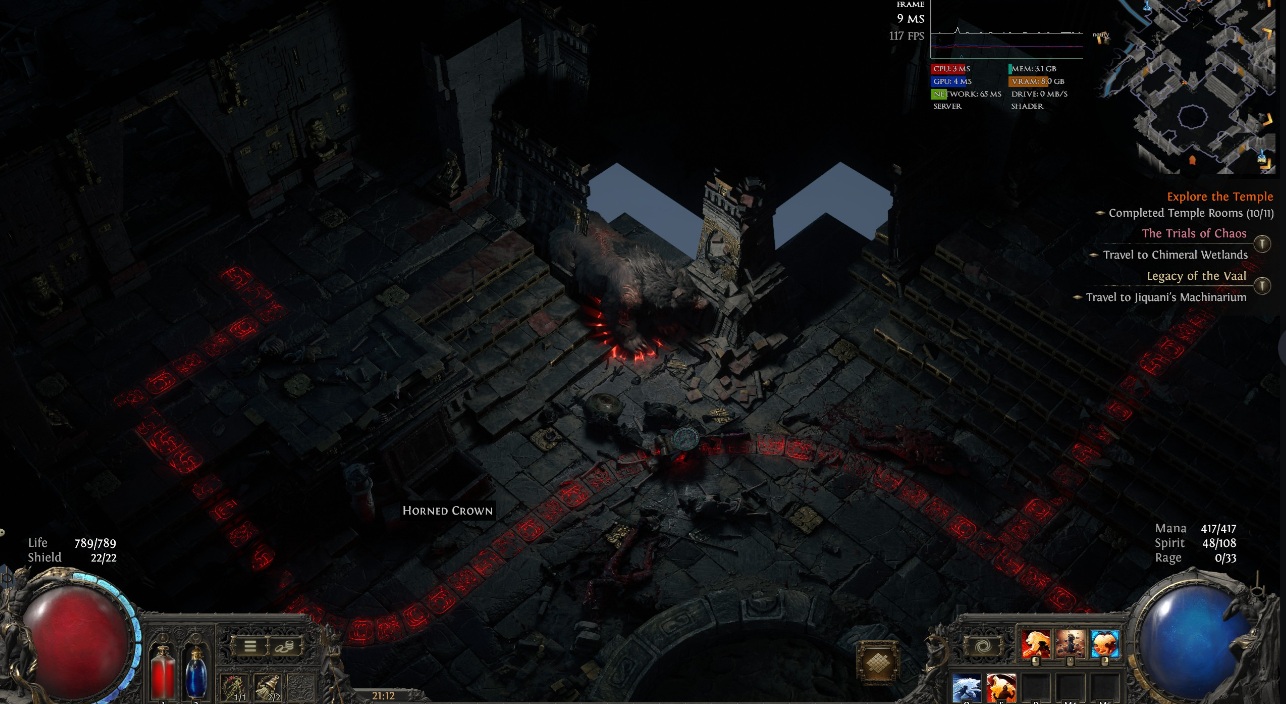 Ryzen 7700 5070 ti 64 gb ram 2 tb ssd m2 |

|
|
Same here
|

|
|
Intel i7-13700K 3.40 GHz
32GB RAM NVidia Geforce RTX 4060 8GB Even with the Game Paused it still happened... https://imgur.com/DPEW0bP |

|
|
Bug Report: Textures and inventory icons degrade to blurry/low quality after 20 minutes despite all tweaks (RTX 3050 Laptop)
Summary: Textures become progressively blurry ("soap-like"), overlapping artifacts appear during movement, and inventory item icons disappear (tooltips still work on hover). Issue starts fine but degrades after ~20 minutes of play, requiring relog or restart. Affects gameplay heavily in crowded fights with many mobs/effects. Problem appeared right after 0.4 league launch. Hardware: CPU: Intel Core i7-12650H GPU: NVIDIA RTX 3050 Laptop (4GB VRAM) RAM: 16GB DDR5 OS: Windows 11 Resolution: 1080p (Full HD), tried downscaling to 720p (HD) Steps to reproduce: Launch game, play normally for 10-20 minutes. Textures start blurring during movement (ground/walls flicker between sharp and blurry). Open inventory: item icons vanish, but mouse hover shows full tooltip/stats. Issue worsens in mob-heavy areas with particle effects. Relog to new zone fixes temporarily (~20 min), then repeats. What I've tried (all fixes temporary, ~20 min relief): Graphics settings: Disabled ALL upscaling (DLSS Quality preset originally, tried FSR, NIS, native resolution). NIS lasted longest. Texture Quality: Medium/High (not Ultra to avoid VRAM overflow). Cleared AppData, verified/reinstalled game files via Steam. Forced High Performance GPU in Windows Graphics Settings (poe2.exe → RTX 3050). Monitored with Mem Reduct: RAM hits 90%+ during big fights (16GB not enough), manual cleanup delays issue but doesn't fix. VRAM also fills up over time. Frequent zone relogs as workaround, but unplayable long-term. Comparison: Friend with i5-14400F + RTX 4060 Ti + 16GB DDR4 has ZERO issues on same patch/settings — runs stable for hours. Expected: Stable textures/icons regardless of playtime. Actual: Progressive degradation due to apparent VRAM/RAM leak. DxDiag/Logs: Can provide if needed. Issue 100% reproducible. Please prioritize — makes league unplayable on mid-range laptops. |
|








